

Ad Management

How to deal with Forced Redirect Ads and protect your revenue, reputation, and users from malvertising.
In adtech, we have to confront a lot of pitfalls. As we grow our technology, fraudsters grow theirs to spam the Internet. But, in the end, publishers are held liable by the readers and advertisers. Forced redirect ads are on their way to make the condition even worse. So, here’s the guide to deal with it.
Before we start with anything, let’s have a quick refresh of the basics.
When a user attempts to visit a legitimate webpage, they may be automatically redirected to unfamiliar or suspicious sites, where they can be exposed to malware or deceptive ads designed to steal personal information. Learn more about Ad Fraud here.
Forced redirect ads and malvertising increased sharply in 2024, with forced redirects representing the majority of malicious ad activity and significantly eroding trust in online advertising.
Although exact figures differ by source and region, recent industry reports show malvertising rose by approximately 10% year over year, with forced redirects making up most malicious ads detected in late 2024. These threats continue to be a major concern for advertisers and contribute to user churn in 2025.
The redirect could be via links, disturbing pop-ups, or through a webpage overloaded with display ads. In fact, fraudsters develop trust with publishers by posing as a legitimate ad network for a certain period of time and then start dropping in malware through ad creatives in order to forcibly redirect destinations for the users.
“This comes up every year – and this is the worst-case [we’ve seen in] the past several years”
– Dave Pond, GM of Display and Programmatic, Vox Media.
There are generally three primary ways to insert forced redirect ads on the website or web path:
1. At ad request level
2. At post-click level
3. Implementing malicious code
An ad request typically passes through multiple layers, such as third-party ad networks, SSPs, and other intermediaries, before reaching buyers. At any point in this chain, a bad actor can inject malicious code that redirects users to unwanted destinations.
When a user clicks on an ad, the click request may be intercepted, causing the user to be redirected to a different, unintended site.
One of the most common causes of forced redirects is the insertion of malicious code during the creation of ad inventory or ad creatives. The code often remains undetected until the ad is displayed and clicked.
For example, Vogue discovered last year that its readers were being hit with redirect ads. After investigating, the publisher identified malicious ad code delivered through a partner platform and issued a warning to the partner involved.
Another widely used technique involves meta refresh tags, which automatically move users from one webpage to another. In these cases, bad actors set a countdown, usually invisible to the user, that triggers a redirect once it expires, potentially sending users to pages containing malware or viruses.
Although modern browsers deploy various protections against malicious behavior, such as flagging suspicious redirect chains or exploitative navigation patterns, not all automatic redirects are blocked. Redirects executed via JavaScript or asynchronous code that mimics legitimate user interactions can bypass these safeguards. As a result, publishers cannot rely solely on browser-level protections to defend users against forced redirects.
Google and other major browser vendors have invested heavily in detection systems and policy enforcement tools to identify malicious ad creatives and invalid traffic. However, Google does not universally block all forced redirects. Instead, it relies on a combination of measures, including:
While these safeguards significantly enhance user protection, they do not guarantee that forced redirects are prevented across all demand sources—particularly those operating outside of Google’s owned and controlled platforms.
Here’s how forced redirect ads work and how to stop redirect ads.
Begin by monitoring your web traffic using tools like Charles Proxy, which act as intermediaries between your browser and the internet to capture and analyze page-load activity. These tools allow you to record interactions during the page load process, identify third-party calls, and trace any redirects that occur. This visibility helps pinpoint where unwanted or malicious redirects may be introduced.
This approach can be time-consuming but effective. If you work with multiple header bidding partners, disable them one at a time and monitor whether redirect ads continue to appear. This process helps isolate which partner is responsible. Once identified, notify the partner immediately and request that they block the buyers serving redirect-based ads.
You can also use ad redirect detection services. These providers run automated daily scans of your website to detect potential redirects. Such services not only identify redirect activity but also help trace the underlying source or fraudulent actors.
For example, Confiant, a redirect and malware prevention company, scans ad units on your site to determine whether they attempt to redirect users. Each scan takes approximately 50 milliseconds per ad unit, which may slightly impact page load times depending on the number of placements. Nevertheless, these tools can be highly effective in mitigating redirect risks. There are also several other ad fraud detection providers available in the market.
The root cause of redirect ads often originates on the demand side. By eliminating bad actors from your supply chain, the volume of forced redirects can decrease significantly. Partner with reputable ad exchanges and ensure your SSPs maintain strict demand-side quality controls, since they manage your demand partners.
At Mile, for example, we test, verify, and collaborate only with trusted ad exchanges and DSPs to ensure high-quality ad delivery. As a result, our publishers have not experienced measurable redirect issues.
In case you’re wondering, whether SafeFrames could solve the redirecting issues, it can.
SafeFrame, an IAB standard, can help mitigate redirect risks. It is now widely supported across major ad servers and programmatic platforms, with over 80% of leading publishers implementing SafeFrame containers. By isolating third-party creatives, SafeFrame prevents unauthorized DOM access and reduces the likelihood of malicious redirects, while still enabling measurement APIs for viewability and interaction tracking. Publishers are encouraged to adopt SafeFrame as part of a layered ad security strategy.
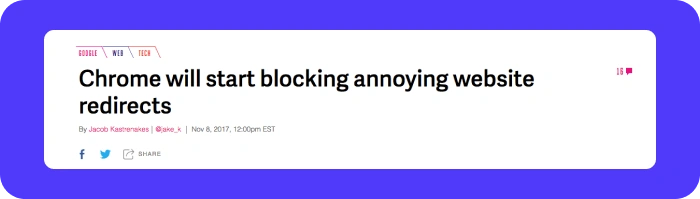
Google is already blocking ad redirects on its browser and it will continue to release updates to improve the user experience. In addition, users who’re frustrated with the redirects have installed ad blockers.
While reducing forced redirects improves user experience, ad blocker adoption remains driven by a combination of privacy concerns, performance, and general ad fatigue, not just malvertising removal.
As of 2025, ad blockers are widely used across desktop and mobile, and improving ad quality alone is unlikely to cause significant declines in blocker use. Better approaches include transparent communication, quality score enforcement, and frictionless privacy practices.

Forced redirect ads harm publishers by redirecting users to malicious or irrelevant websites without consent. This damages user trust, increases bounce rates, and contributes to revenue loss. Redirect-based malvertising can also expose users to malware or phishing pages, leading to brand safety concerns and advertiser dissatisfaction. Over time, repeated redirect incidents may increase ad blocker adoption and reduce overall site credibility.
You can detect forced redirect ads by monitoring network activity and third-party calls during page loads. Tools like Charles Proxy help analyze redirect chains and identify suspicious ad requests. Publishers can also disable header bidding partners one at a time to isolate the source. Automated ad fraud detection services scan creatives daily to detect malicious code, meta refresh tags, and unauthorized JavaScript redirects.
To stop forced redirect ads, remove suspicious demand partners and work only with trusted SSPs and ad exchanges. Implement SafeFrame to isolate third-party creatives and prevent unauthorized DOM access. Use redirect detection tools to scan ad placements regularly. Enforce strict demand-side quality controls and notify partners immediately if malicious creatives are identified.
Yes, forced redirects can occur without user clicks. Malicious code, JavaScript triggers, or hidden meta refresh tags can automatically redirect users during page load. These redirects may bypass browser safeguards by mimicking legitimate behavior. Because they don’t require interaction, they are especially harmful and difficult to detect without active monitoring and ad security technology.

.webp)


.avif)
.avif)


